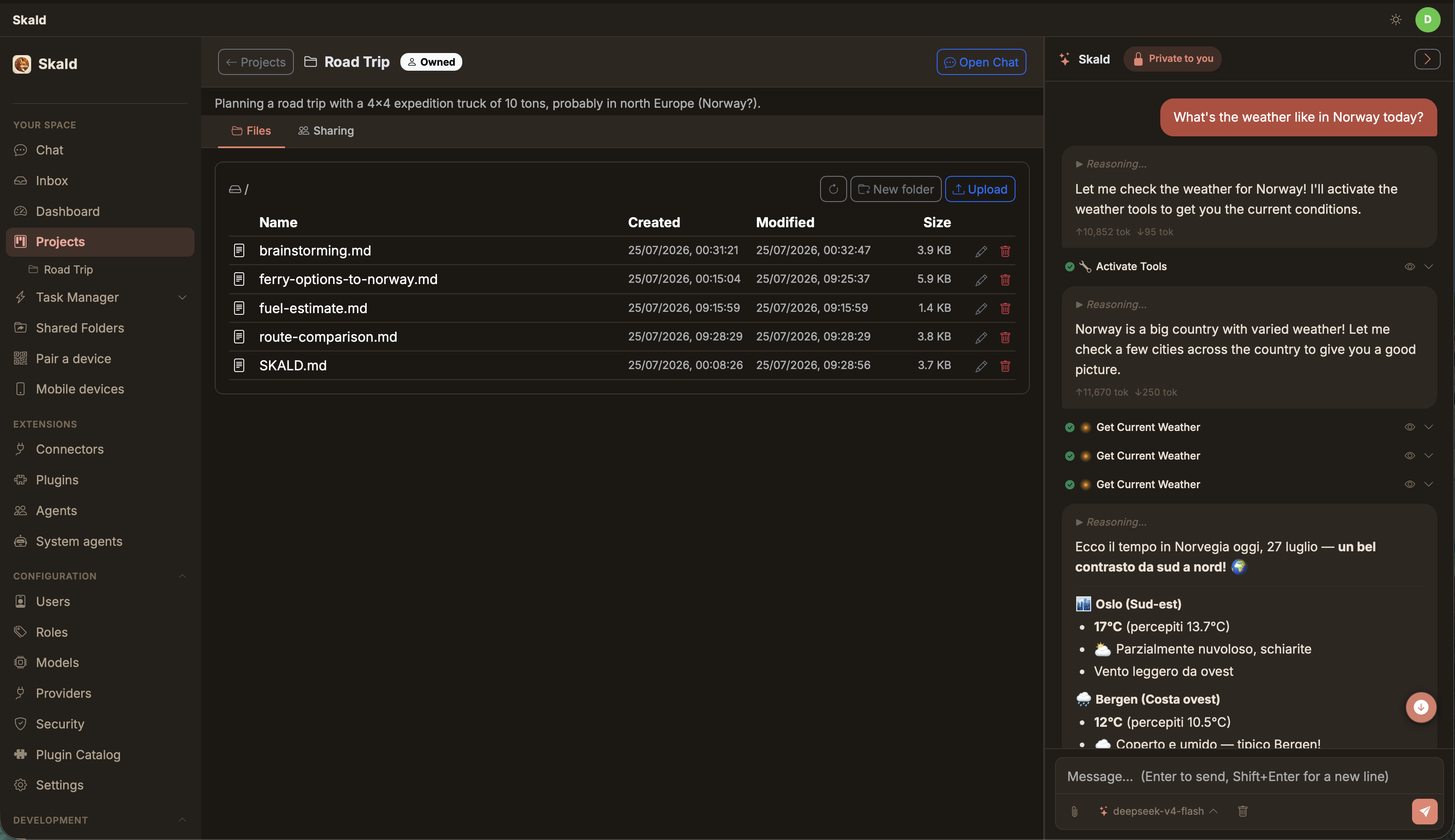
| **Skald Circle** is a private AI assistant for the whole family. It runs on hardware you own — a mini-PC, a NAS, a Raspberry Pi — and gives every member of the household their own assistant, their own private space, and a shared common ground to plan, remember and get things done together. No cloud account. No subscription feeding your conversations to someone else's servers. Your home, your data, your rules. |
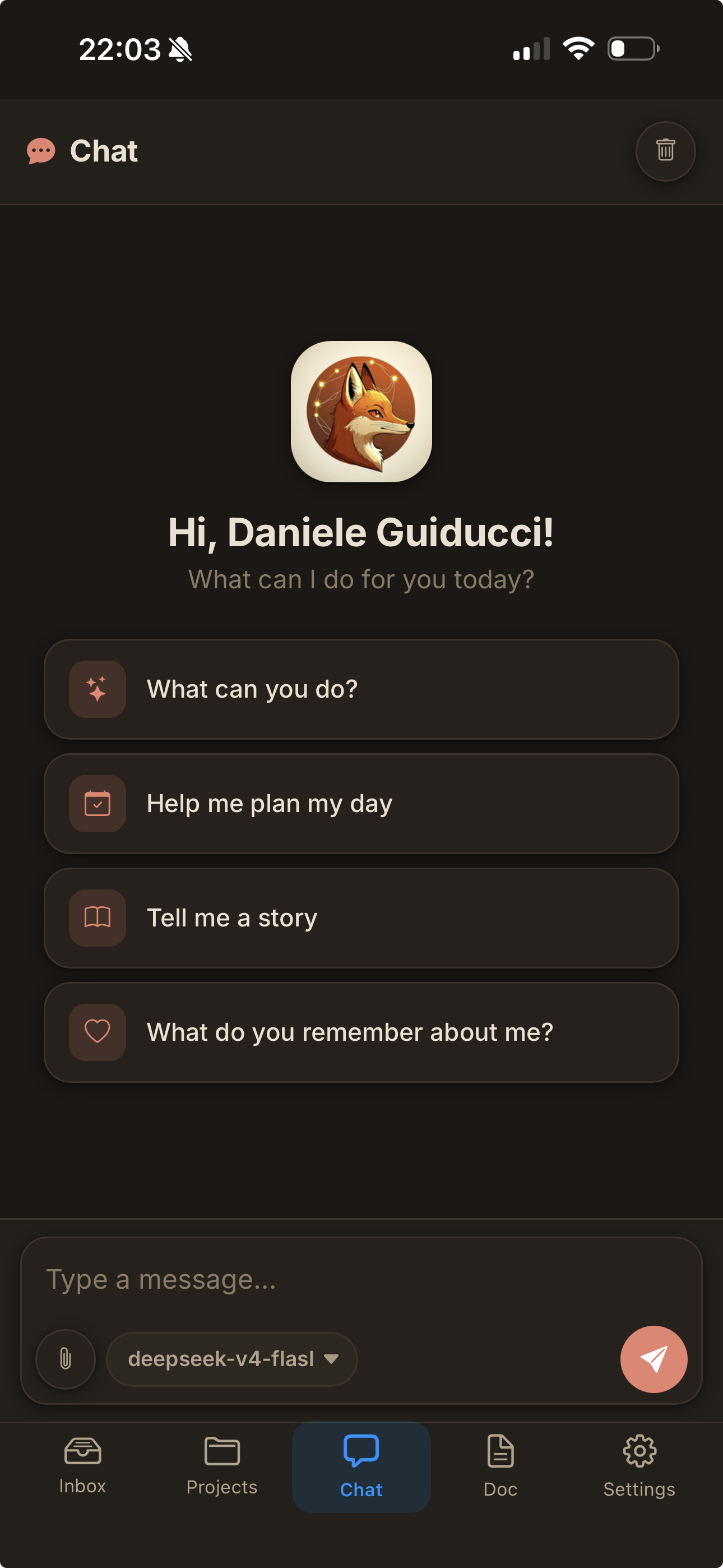 The native iOS companion app ([SkaldAgent/skald-ios](https://github.com/SkaldAgent/skald-ios)) connects to your server through a **relay** with **end-to-end encryption** — your messages and data are never visible to the relay. It supports **Apple Push Notifications**, so you never miss an approval request, a clarification, or a message from the assistant, even when the app is in the background.
## Privacy & security — the honest version
Privacy products love the word "impossible". We prefer precise:
- **Encrypted personal space.** Each adult's database is encrypted at rest (SQLCipher), unlocked by a key derived from their password (Argon2id, memory-hard). The key lives only in RAM, from first login until the box restarts — a rebooted machine means everyone's space is sealed again until they sign in.
- **Who we're defending against.** Our threat model is the *tempted admin*: the family member who owns the box and, in a moment of mistrust, might be tempted to peek. Against them, your encrypted space is as strong as your password plus a deliberately expensive key derivation. We do **not** claim to stop a forensic attacker who owns the hardware — no honest software can.
- **What's *not* hidden from the admin.** Files on disk (documents, photos, downloads) live on the shared box in the clear, because the assistant's tools need to work on them — they're isolated from *other family members*, not from the person who runs the machine. Your notes, chats and memories are the private part; your files are on the family computer, like files on any family computer.
- **Shared is shared.** The family memory is readable by all members by design — that's its job.
- **Open and verifiable.** Everything is open source, so the promise above is checkable — and a tampered build would be detectable. We claim *transparent, verifiable privacy*, never "mathematically impossible".
For the most sensitive conversations, pair this with a **local model** and nothing leaves the house at all: that's a technical guarantee, not a policy one.
## The road ahead
The multi-user foundation — accounts, roles, encrypted spaces, shared memory and folders, the connector marketplace — is built and in daily use. Next, the foundation grows toward the people who need the most care:
- **Supervised accounts for children.** Roles are already data, not code: a "kids" profile is a configuration — simplified interface (already available), restricted tools, no actions toward the outside world, and activity readable by a parent, who is their data controller. As they grow, the account grows with them — more autonomy, eventually a private encrypted space of their own.
- **A safety net, done with care.** An assistant a child confides in must know when to reach for a human. The principle: the child *knows* the safety rule ("what you tell me stays between us, unless I'm worried you might get hurt — then I tell someone who loves you"), thresholds stay high, and alerts carry concern and urgency to a parent, not transcripts. This is the feature we hold to the highest bar of care.
- **More sign-in connectors** (Calendar, Drive and beyond), richer shared-folder management, and polish everywhere.
## Getting started
**Requirements** (macOS / Linux):
- **Docker** — used to sandbox the assistant's actions, one container per family member. Must be running before the app starts.
- **Rust** — to build the binary (`curl --proto '=https' --tlsv1.2 -sSf https://sh.rustup.rs | sh`, or `brew install rust` on macOS).
- **Python** (optional) — some connectors are Python-based; a virtualenv is created automatically on first run.
```sh
./build.sh # build the app (release binary)
./run.sh # first-run setup, then start
```
On first launch a short wizard creates the family admin account. Then open **http://localhost:9000**, sign in, and add at least one **LLM provider + model** in the Models Hub — credentials are managed entirely from the web UI. Invite the rest of the family from the Users page.
Meant to run as a background service on an always-on machine (a mini-server, a spare box on the LAN): `run.sh` supervises the process and restarts it on demand, so the assistant is reachable from every device in the house.
## Status
This is a personal project, actively used every day by its author's household. It's not a polished product — it's a living system that changes as we need it to. Breaking changes happen; the schema may shift (greenfield, no migrations yet). If you try it and something breaks, open an issue — but expect rough edges. That said: it works, it helps, and it's only getting better.
---
Built with Rust, Tokio, Axum, SQLite, and a lot of coffee. Rust was a deliberate choice: a single compact binary that runs comfortably on a Raspberry Pi or a low-power NAS — the kind of hardware already on 24/7 at home. The goal is an assistant that lives *in your house*, including the smallest machine you own.
The native iOS companion app ([SkaldAgent/skald-ios](https://github.com/SkaldAgent/skald-ios)) connects to your server through a **relay** with **end-to-end encryption** — your messages and data are never visible to the relay. It supports **Apple Push Notifications**, so you never miss an approval request, a clarification, or a message from the assistant, even when the app is in the background.
## Privacy & security — the honest version
Privacy products love the word "impossible". We prefer precise:
- **Encrypted personal space.** Each adult's database is encrypted at rest (SQLCipher), unlocked by a key derived from their password (Argon2id, memory-hard). The key lives only in RAM, from first login until the box restarts — a rebooted machine means everyone's space is sealed again until they sign in.
- **Who we're defending against.** Our threat model is the *tempted admin*: the family member who owns the box and, in a moment of mistrust, might be tempted to peek. Against them, your encrypted space is as strong as your password plus a deliberately expensive key derivation. We do **not** claim to stop a forensic attacker who owns the hardware — no honest software can.
- **What's *not* hidden from the admin.** Files on disk (documents, photos, downloads) live on the shared box in the clear, because the assistant's tools need to work on them — they're isolated from *other family members*, not from the person who runs the machine. Your notes, chats and memories are the private part; your files are on the family computer, like files on any family computer.
- **Shared is shared.** The family memory is readable by all members by design — that's its job.
- **Open and verifiable.** Everything is open source, so the promise above is checkable — and a tampered build would be detectable. We claim *transparent, verifiable privacy*, never "mathematically impossible".
For the most sensitive conversations, pair this with a **local model** and nothing leaves the house at all: that's a technical guarantee, not a policy one.
## The road ahead
The multi-user foundation — accounts, roles, encrypted spaces, shared memory and folders, the connector marketplace — is built and in daily use. Next, the foundation grows toward the people who need the most care:
- **Supervised accounts for children.** Roles are already data, not code: a "kids" profile is a configuration — simplified interface (already available), restricted tools, no actions toward the outside world, and activity readable by a parent, who is their data controller. As they grow, the account grows with them — more autonomy, eventually a private encrypted space of their own.
- **A safety net, done with care.** An assistant a child confides in must know when to reach for a human. The principle: the child *knows* the safety rule ("what you tell me stays between us, unless I'm worried you might get hurt — then I tell someone who loves you"), thresholds stay high, and alerts carry concern and urgency to a parent, not transcripts. This is the feature we hold to the highest bar of care.
- **More sign-in connectors** (Calendar, Drive and beyond), richer shared-folder management, and polish everywhere.
## Getting started
**Requirements** (macOS / Linux):
- **Docker** — used to sandbox the assistant's actions, one container per family member. Must be running before the app starts.
- **Rust** — to build the binary (`curl --proto '=https' --tlsv1.2 -sSf https://sh.rustup.rs | sh`, or `brew install rust` on macOS).
- **Python** (optional) — some connectors are Python-based; a virtualenv is created automatically on first run.
```sh
./build.sh # build the app (release binary)
./run.sh # first-run setup, then start
```
On first launch a short wizard creates the family admin account. Then open **http://localhost:9000**, sign in, and add at least one **LLM provider + model** in the Models Hub — credentials are managed entirely from the web UI. Invite the rest of the family from the Users page.
Meant to run as a background service on an always-on machine (a mini-server, a spare box on the LAN): `run.sh` supervises the process and restarts it on demand, so the assistant is reachable from every device in the house.
## Status
This is a personal project, actively used every day by its author's household. It's not a polished product — it's a living system that changes as we need it to. Breaking changes happen; the schema may shift (greenfield, no migrations yet). If you try it and something breaks, open an issue — but expect rough edges. That said: it works, it helps, and it's only getting better.
---
Built with Rust, Tokio, Axum, SQLite, and a lot of coffee. Rust was a deliberate choice: a single compact binary that runs comfortably on a Raspberry Pi or a low-power NAS — the kind of hardware already on 24/7 at home. The goal is an assistant that lives *in your house*, including the smallest machine you own.